

403 insufficient_org_role; agent tokens are refused.
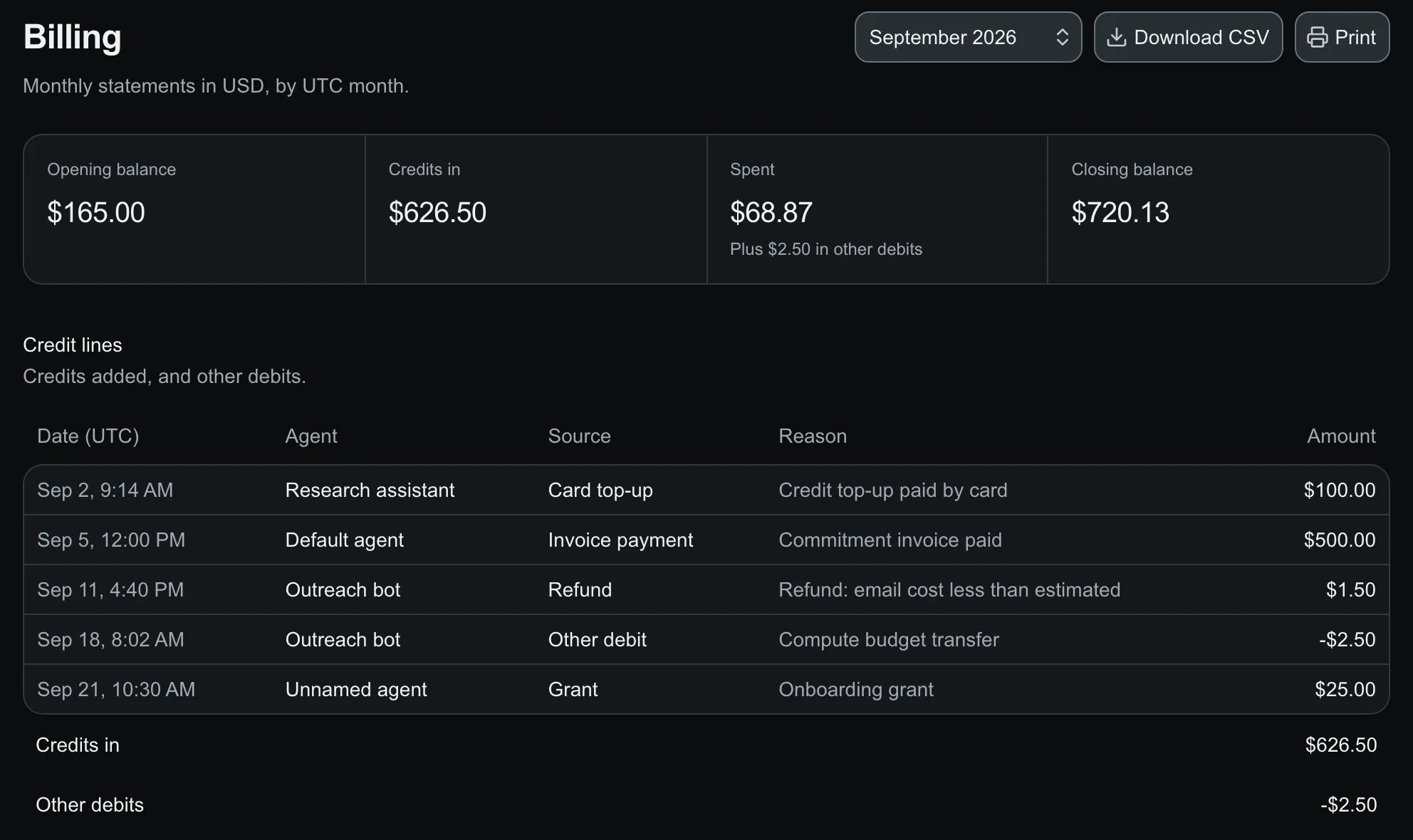
Billing: the month's balances, credits added and spend.
Download a statement
1
Pick the month
Open Billing and choose a UTC month.
2
Download
Download CSV saves it; Print gives a paper copy.
Contracts and invoices
Contract terms come from your signed proposal and are read-only. A contract month’s statement compares usage with the commitment and each included allowance; these figures charge nothing. A commitment is paid by invoice, whole or in installments. Once paid, the amount before tax becomes credits on the invoice’s agent, by default the default agent. Usage beyond it is paid by card top-up or an overage invoice, which adds no credits. Balances never go negative.Dispute a receipt
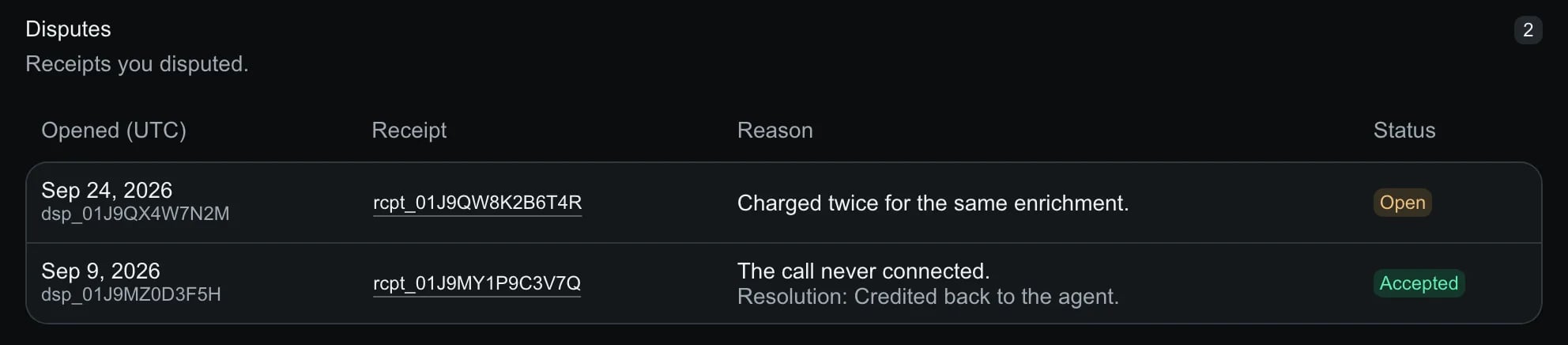
Billing → Disputes: each dispute with its receipt and status.
1
Open the receipt
Select Dispute on the receipt.
2
Give a reason
Up to 2000 characters.
3
Follow it
Support accepts or rejects it with a note and an optional credit, and emails you.
disputes array.
API
agents and totals hold USD decimal strings:
invoices; a paid commitment is a credit line with source invoice_payment, and dispute refunds a dispute_refund line with dispute_id. CSV adds invoices, contract and overage rows.
A contract month adds
contract, from term start to the earlier of month end and term end (through is exclusive):
The two overages measure the same usage; do not add them. Without a commitment they are
null. Ended contracts drop out of reads and recalculated statements.